Pipeline
The pipeline is where deals live. Each pipeline has an ordered set of stages, and every open deal sits in exactly one of them.
Three views share the same pipeline and the same toolbar, switched from the route selector: Board, List, and Archive.
Board
/pipeline sends you to the first pipeline you can see. /pipeline/[id] renders that
pipeline's board, one column per stage.
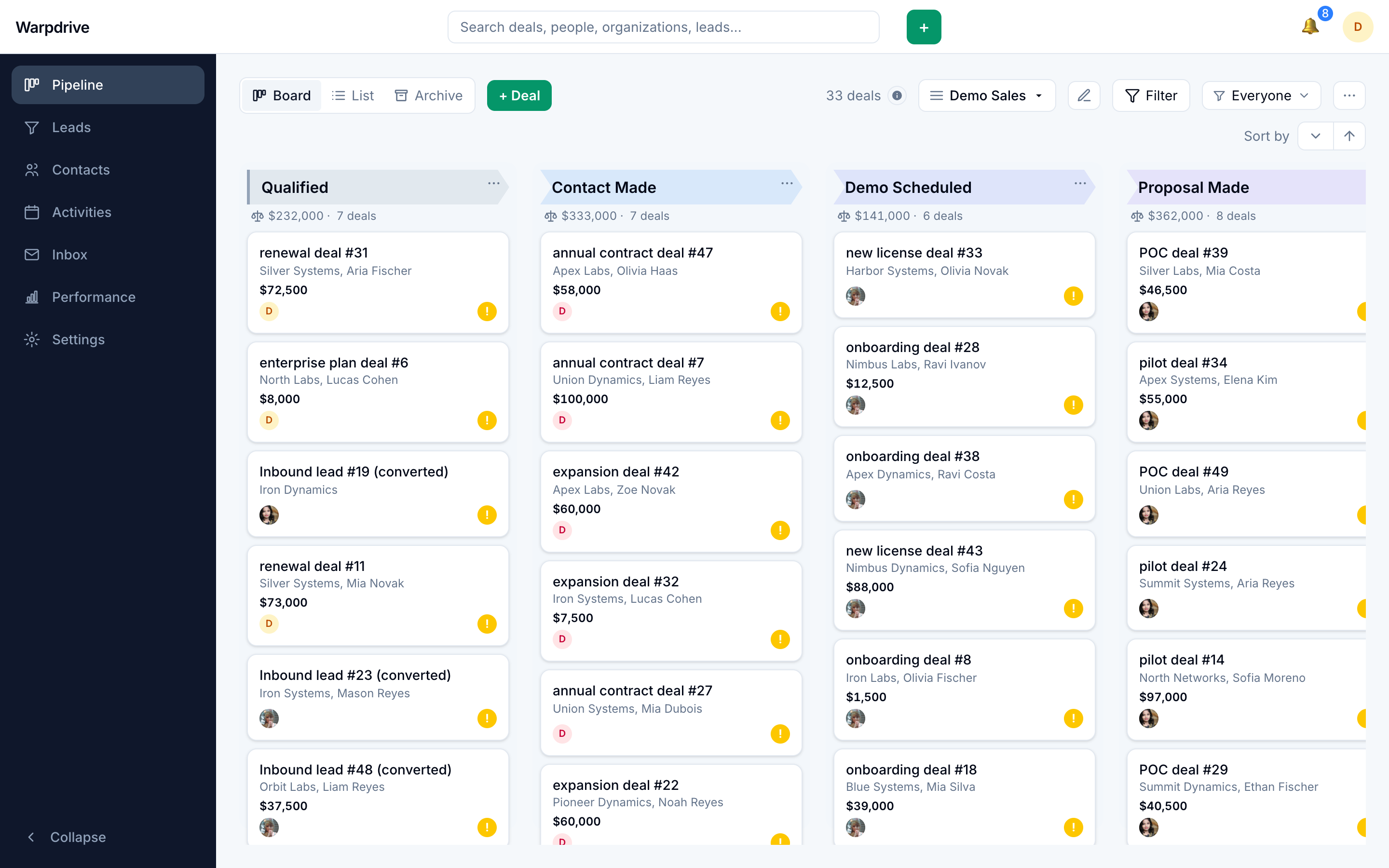
Each column header shows the stage name and the total value of the deals in it. Each card shows the deal title, its value, its organization and person, labels, and an activity indicator.
Moving deals
Drag a card to another stage, or to a new position within its current stage. The move is applied optimistically and reconciled with the server afterwards, so the board does not wait on a round trip.
A pointer gesture only becomes a drag after 8 pixels of movement. Below that threshold it is treated as a click, which opens the deal. This is what lets the same card be both clickable and draggable without the two competing.
While dragging, three drop targets appear: Won, Lost, and Move.
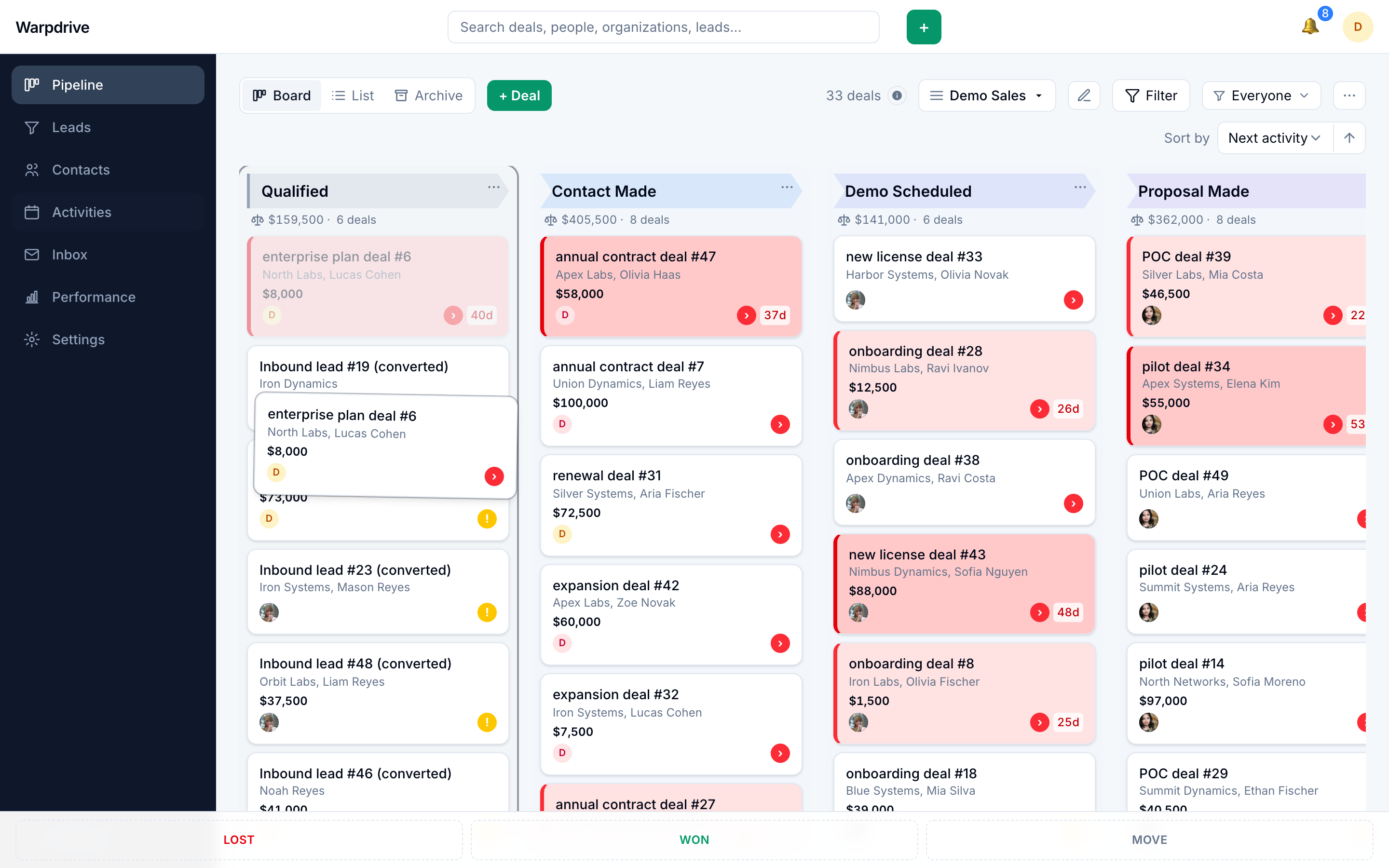
Won and Lost close the deal immediately. Move opens a stage picker, which is useful for sending a deal to a stage that is scrolled off screen.
Closing a deal removes it from the board and the list, because both show only open deals. A closed deal does not appear in Archive unless you archive it separately.
Filtering and sorting
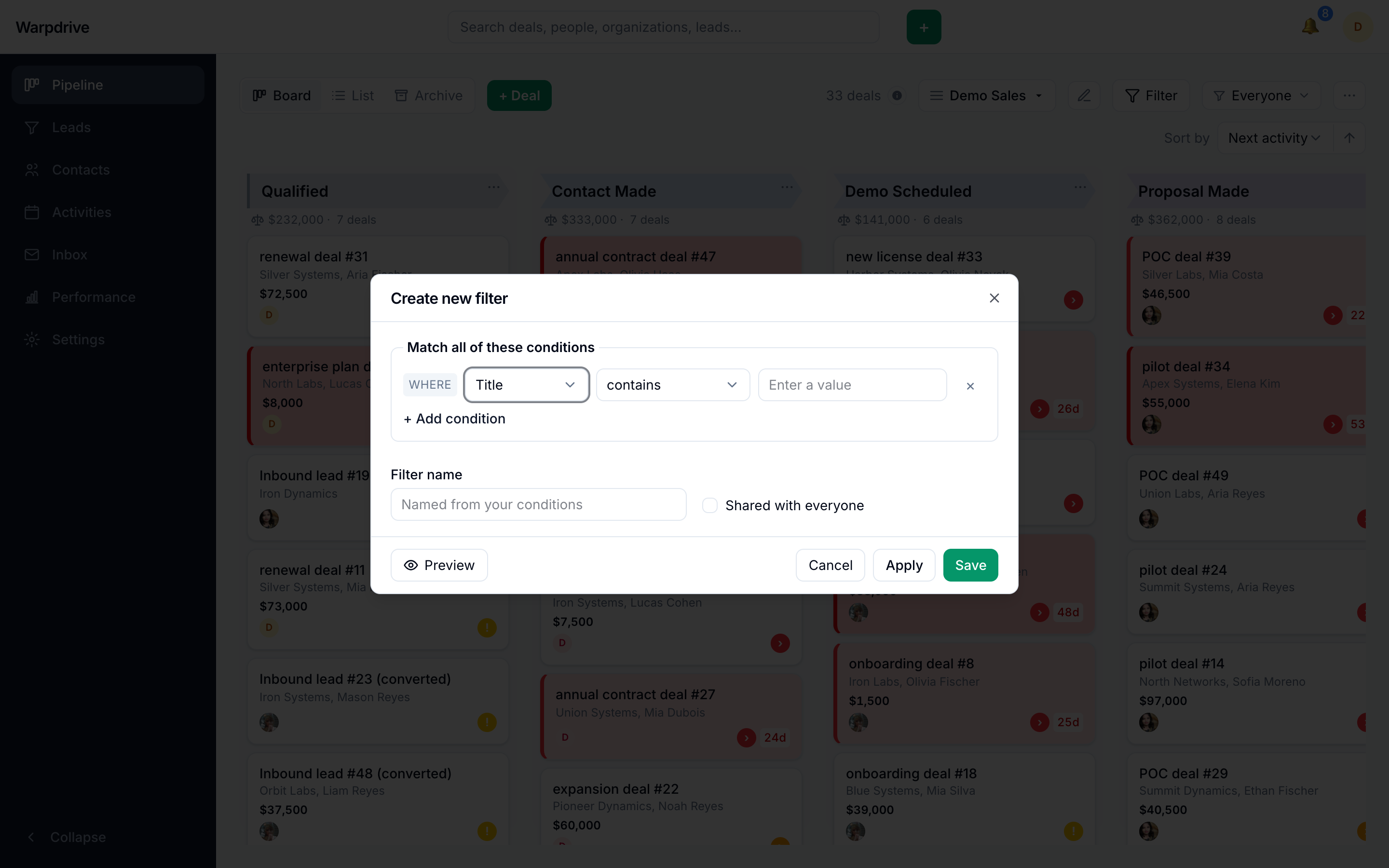
The Filter control builds multi-condition filters over the pipeline, including on labels, combined as match-all or match-any. Filtered board totals reflect the filter, so the stage and board sums answer "how much is in this slice", not "how much exists".
Sorting applies independently within each stage rather than across the board as a whole, which is the only ordering that makes sense when every column is its own queue. Deals with no value for the sorted field always sort last, in both ascending and descending order.
The toolbar's sort, owner filter, saved view, and ad-hoc filter all survive a page reload.
Filters can be saved and shared. See Filters and saved views.
Collapsing stages
Stage columns can be collapsed to reclaim horizontal space. Collapse is per-view state and is not remembered between visits.
List
/pipeline/[id]/list shows the same open deals as a table.
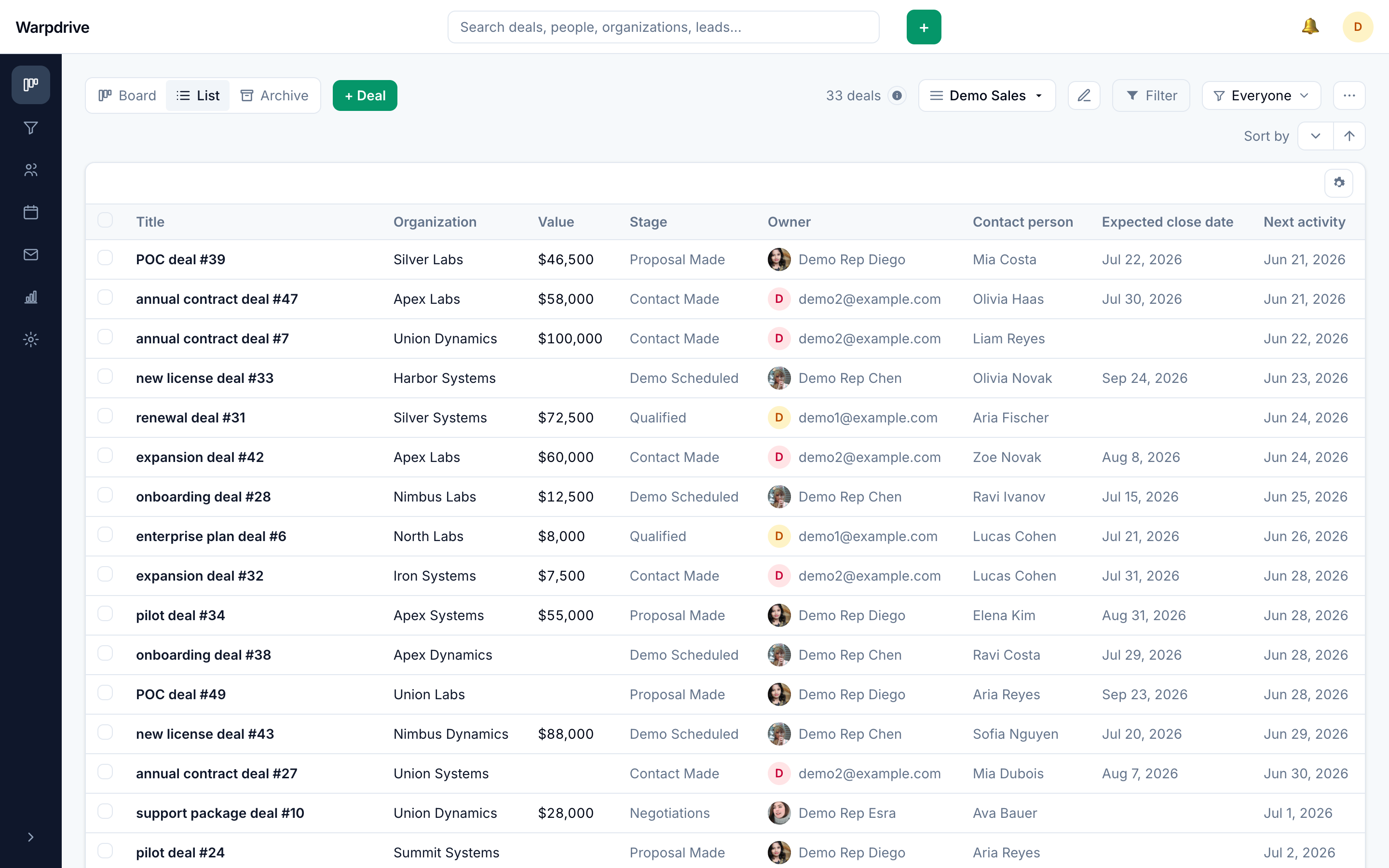
Columns can be shown, hidden, and reordered, and that arrangement is remembered per user. Row titles can be edited in place with the hover Edit control: Enter or clicking away saves, Escape cancels. Blank titles, unchanged titles, and titles over 255 characters are ignored rather than rejected with an error.
The footer reports the number of deals and their total value across the entire filtered result set, not just the rows currently loaded.
Bulk actions
Select rows individually or all at once, then move the selection to another stage from the bulk toolbar.
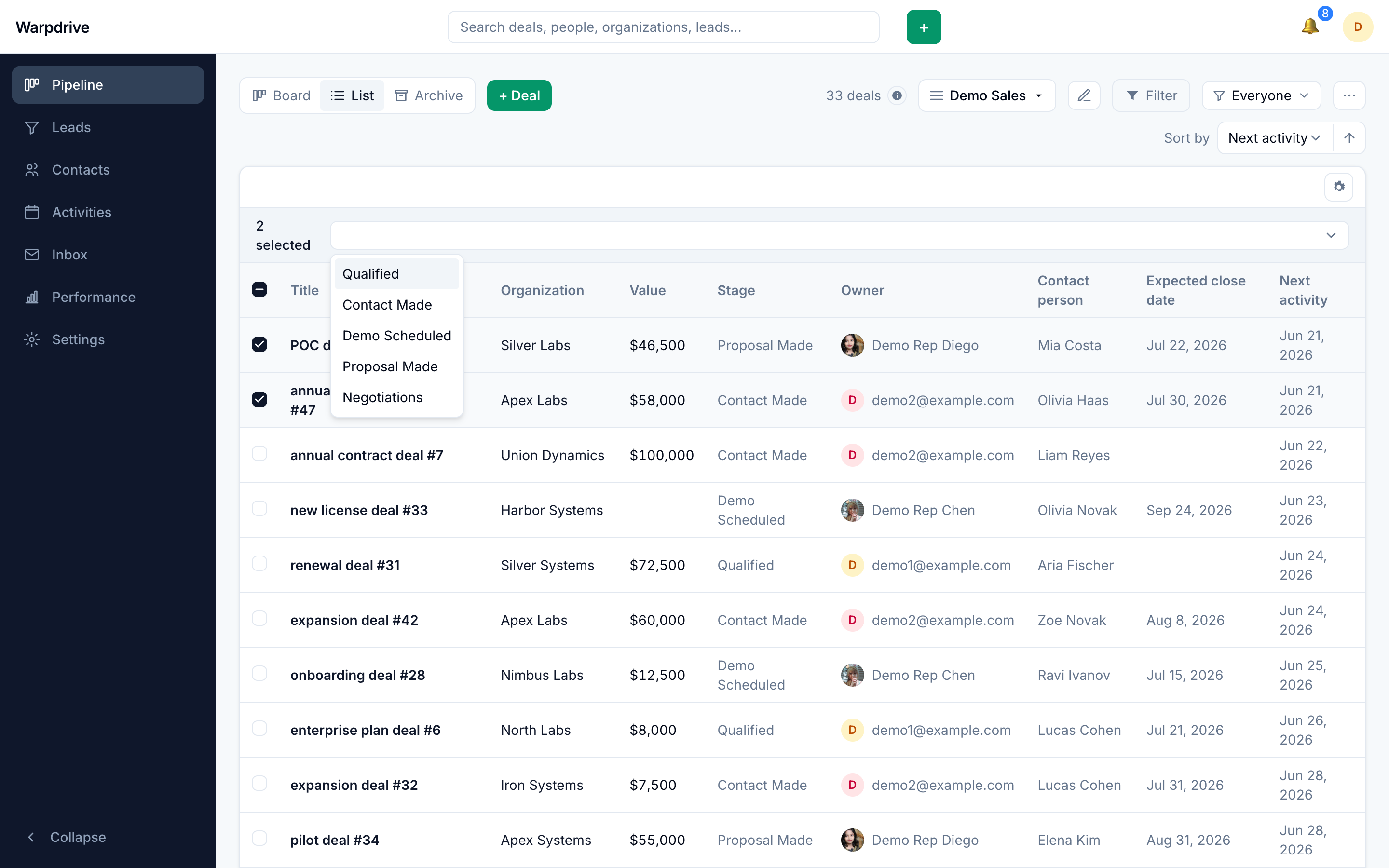
Bulk moves require the bulk.edit permission, and each row is then separately checked
for visibility, target-pipeline compatibility, and edit authority. A row you cannot
edit is skipped rather than moved.
Archive
/pipeline/[id]/archived lists archived deals, with an Unarchive control on each row.
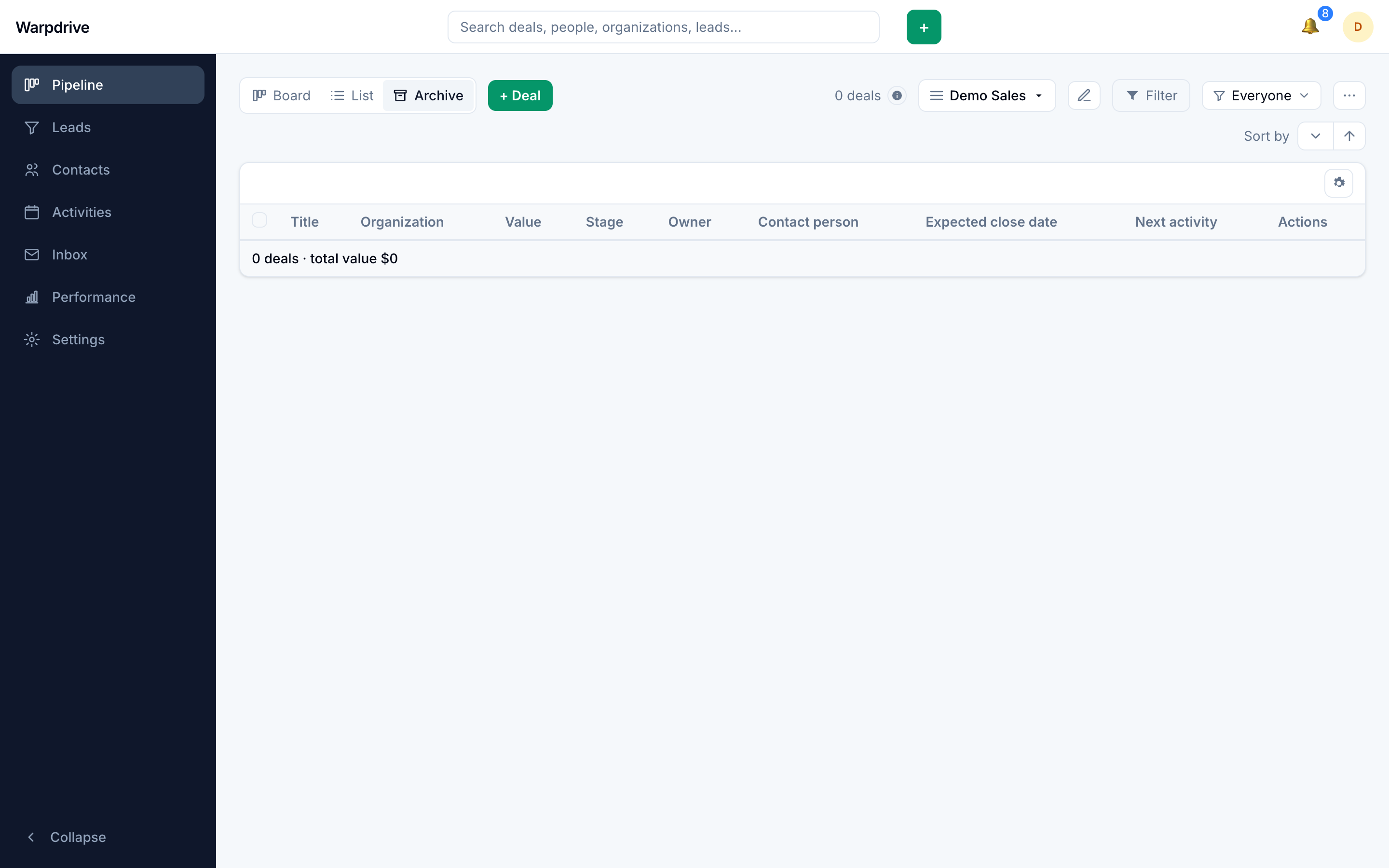
Archive is the one view that drops the open-only restriction, so archived open, won, and lost deals appear together here.
Creating deals
+ Deal opens the Add deal dialog. A stage's own add control does the same thing with
that stage preselected.
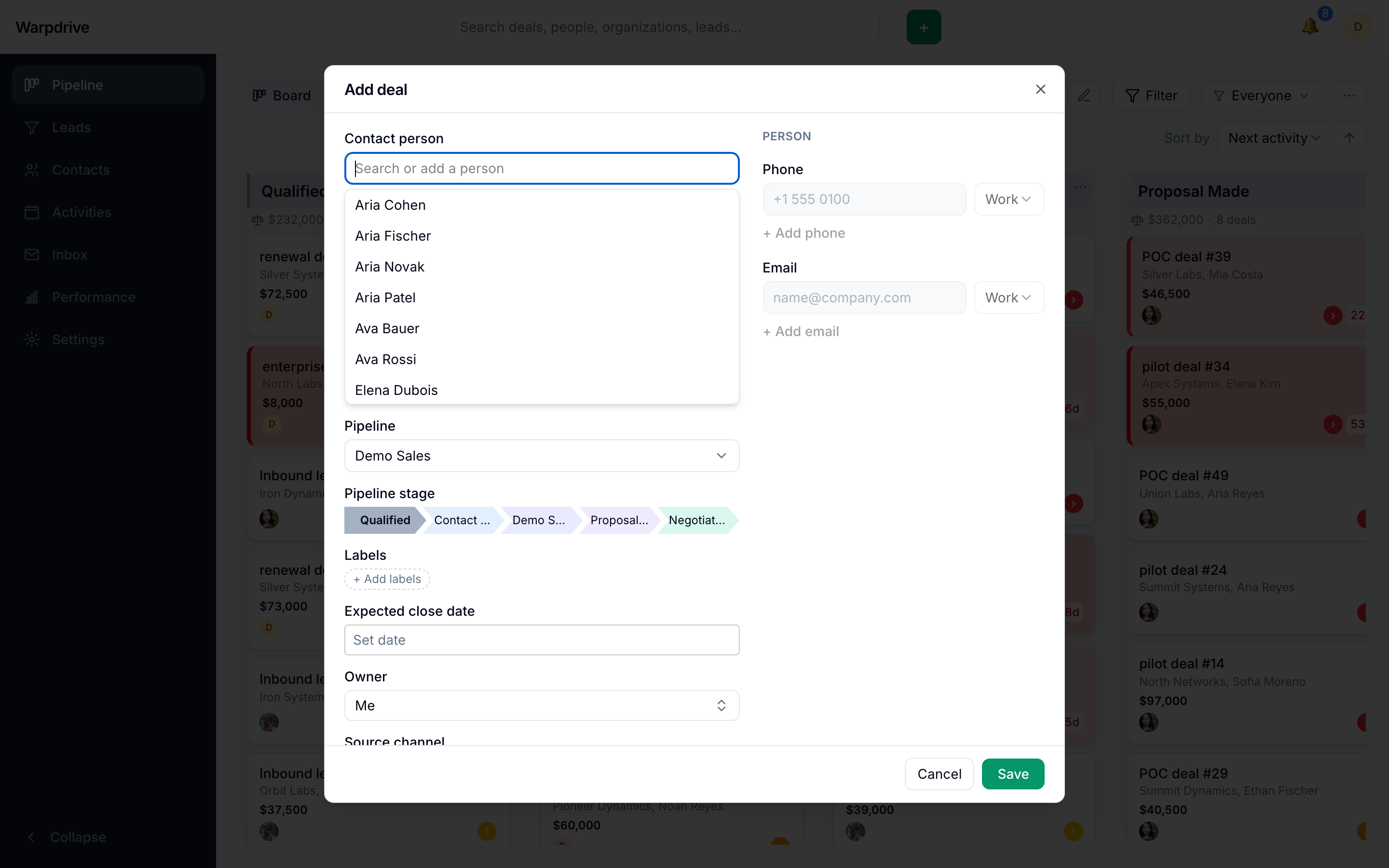
In the dialog you can select an existing person and organization or create new ones inline, set the title and value, choose the pipeline and stage, apply labels, set an expected close date and owner, record a source, and pick a visibility group.
A title is required, and so is a stage. New deals are always created open.
When creating a new person inline, you can add multiple phone numbers and email addresses. Those controls are disabled once you select an existing person, since you would then be editing that person's record rather than the deal.
Configuring stages
/pipeline/[id]/edit edits the pipeline name and its stages.
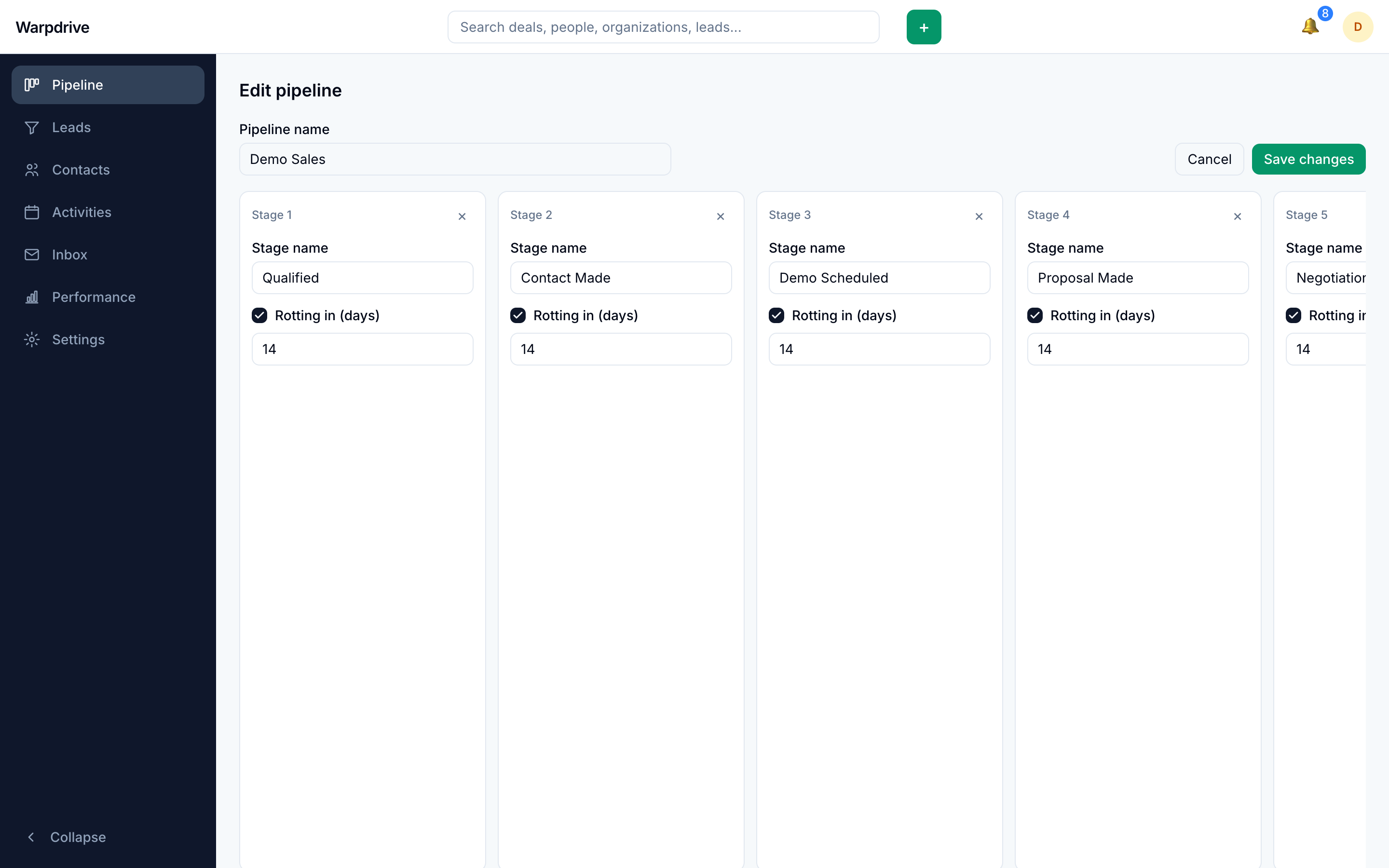
You can rename the pipeline, rename stages, add stages, remove stages, and enable stage rotting.
Rotting flags a deal that has sat in one stage too long. Enabling it on a stage starts at 7 days, and the threshold has a minimum of 1 day.
Two constraints apply when deleting a stage:
- A stage that still contains deals cannot be deleted. This includes won, lost, archived, and deleted deals, not only the open ones visible on the board. A stage that looks empty can still refuse to delete for this reason.
- A pipeline must keep at least one stage. The delete control is disabled when only one stage remains.
Saving the stage editor runs as a sequence of separate operations: rename, then deletes, then creates, then updates. If a later operation fails, the earlier ones are not rolled back. If a save reports an error, re-open the editor and check what actually applied before retrying.
Creating pipelines and editing stages requires administrator status or the
pipeline.manage permission. The Edit pipeline link is shown to everyone, but the
save is rejected if you lack the permission.
Preferences
Two settings on /settings/profile change how the board behaves:
- Card density, Comfortable or Compact. Compact cards drop the organization and person line.
- Open detail view after creating, which navigates straight to a newly created deal instead of staying on the board.
Realtime
The board updates in place as other people move, create, and close deals, over the
shared WebSocket connection described in Architecture. If the
board never updates for anyone, NEXT_PUBLIC_WS_URL is the first thing to check.
Related
- Deal workspace, the per-deal page.
- Filters and saved views, for reusing and sharing filters.
- Visibility groups, which control who sees which deals.