Contacts
Contacts are split into people and organizations, with a shared timeline view across both.
People
/contacts/people lists everyone, searchable and filterable.
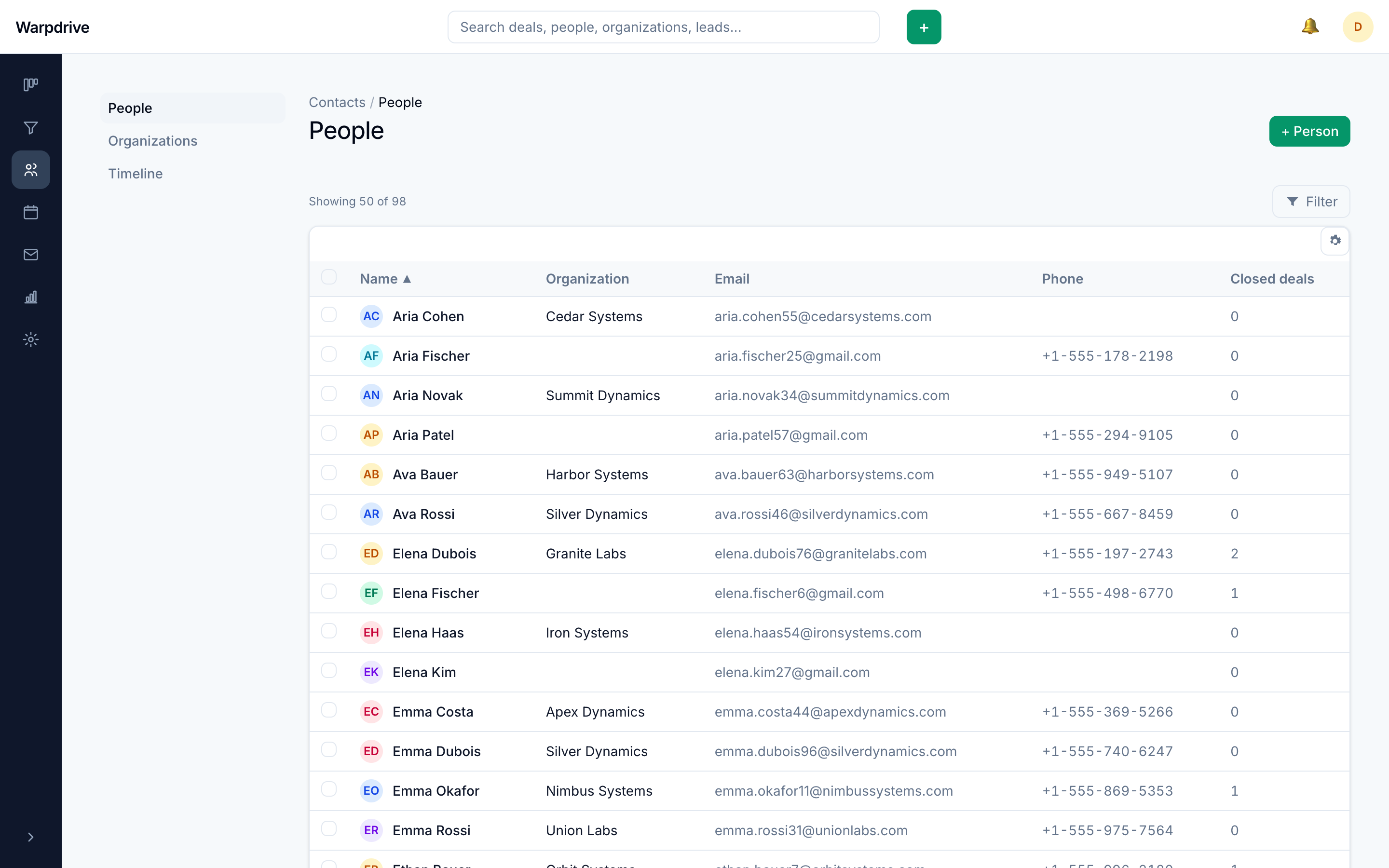
/contacts/people/[personId] is a person's detail page: their fields, the
organization they belong to, their deals, activities, notes, files, and email threads.
Opening a person from the list shows the record in a slide-over panel over the list, rather than navigating away, so you keep your place. The same record is also reachable as a full page by its own URL.
Organizations
/contacts/orgs and /contacts/orgs/[orgId] work the same way for companies.
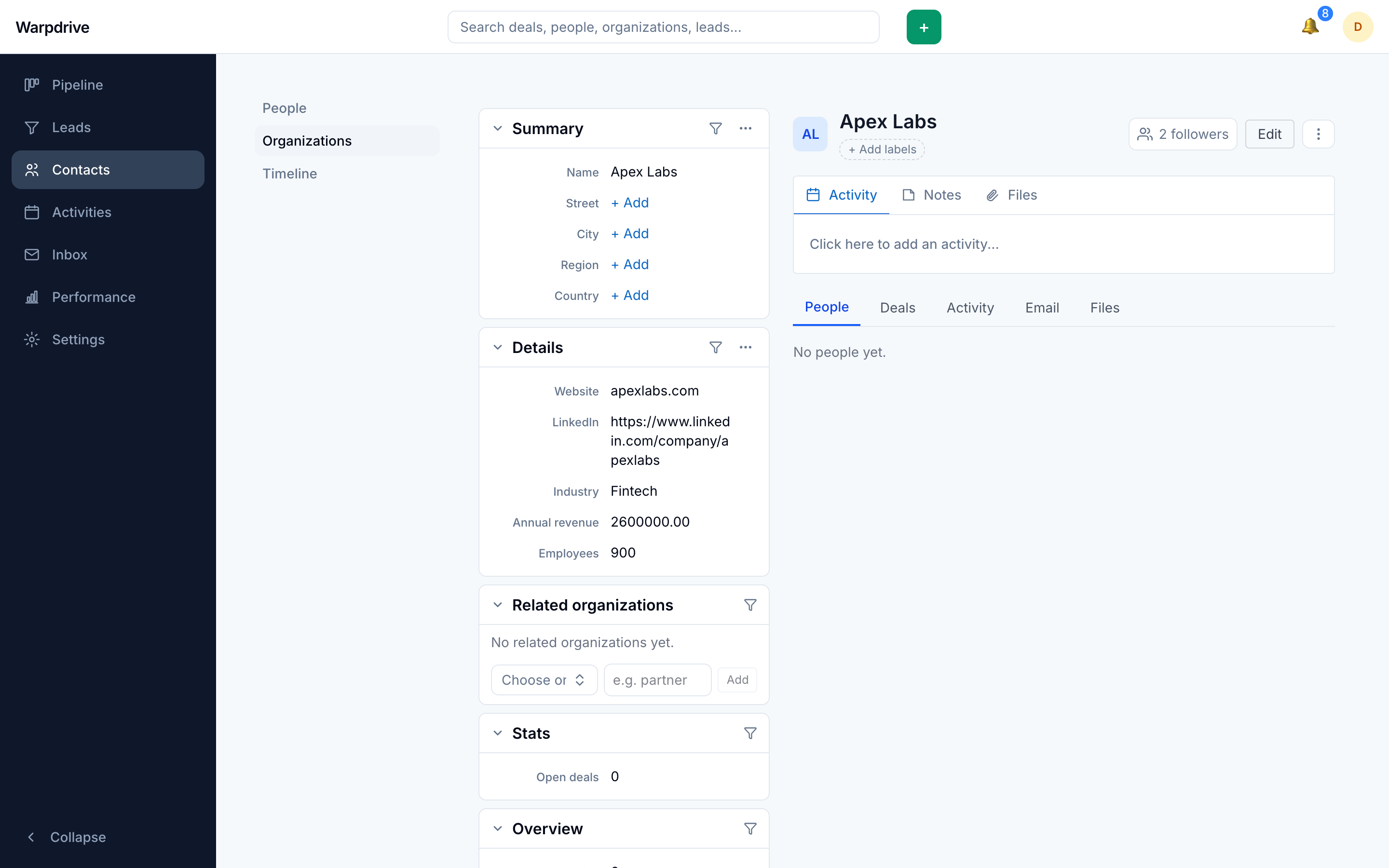
An organization's page shows its people, its deals, and its own activity and email history.
Linking
A person can belong to one organization. When setting it, existing organizations are suggested so that people attach to a single record rather than creating near-duplicate companies.
Deals link to both a person and an organization, which is what makes a company's page able to show every deal across all of its contacts.
Timeline
/contacts/timeline is a chronological view of contact activity, useful for answering
"what has happened recently" without opening records one at a time.
Inline editing
Contact fields are edited in place: click a value, change it, and it saves. Escape cancels. Custom fields appear alongside built-in ones. See Data fields.
Enrichment
Both detail pages carry a Fill the gaps button that fills empty fields from connected data providers (Apollo, RocketReach, GetProspect), behind a review dialog. See Enrichment.
Email
Threads linked to a person appear on their detail page. Linking is recorded on the thread, matching inbound mail on the sender and outbound mail on the recipient. See Email.
Visibility
People and organizations follow the same visibility model as deals, so two colleagues can legitimately see different contact lists. See Visibility groups.
Related
- Leads, for prospects not yet qualified into deals.
- Import, for bringing contacts in from CSV.
- Deal workspace